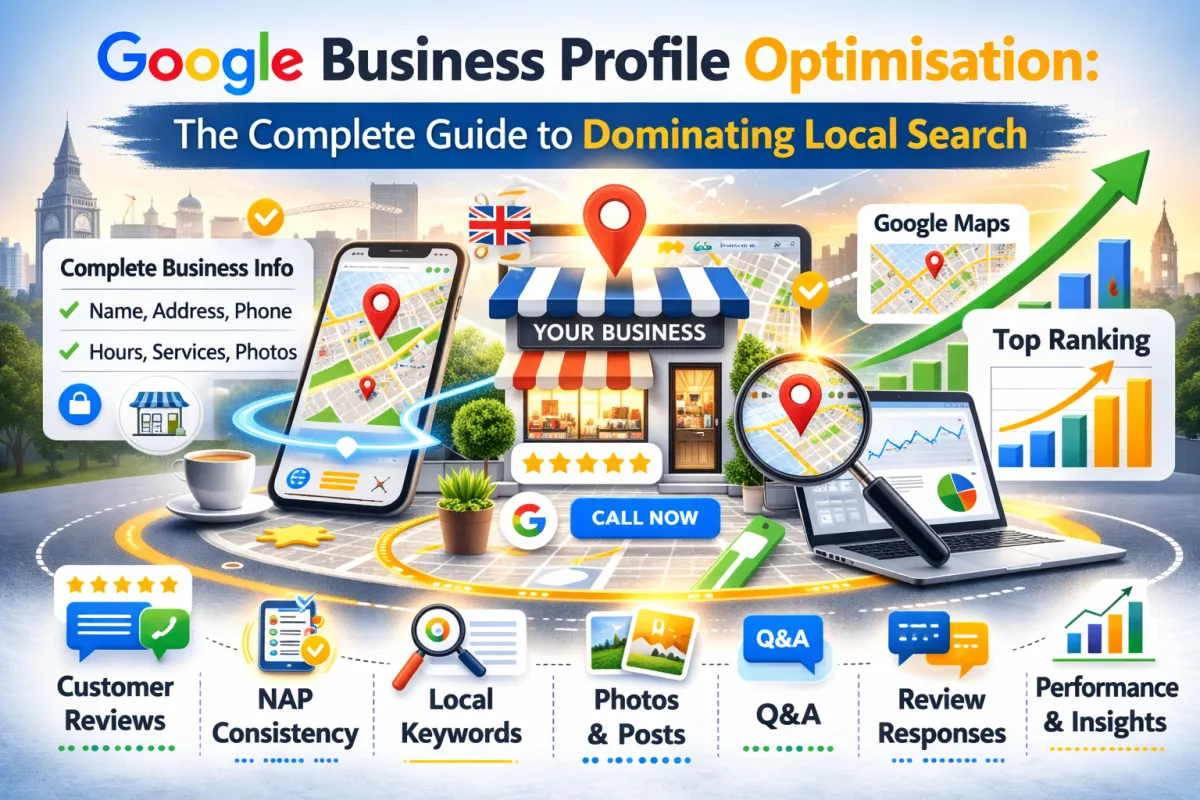
Google Business Profile Optimisation: The Complete Guide to Dominating Local Search
Did you know
You probably already have a Google Business Profile. It's just a mess.
Maybe you set it up years ago and forgot about it. Maybe you never bothered to fill in more than a few fields. Maybe you're not even sure if it's actually yours anymore.
And meanwhile, your competitor down the road has a perfectly optimised profile. They post updates regularly. They respond to reviews. Their business information is complete. And when someone searches "plumber near me" or "dentist in your town," guess who shows up first?
Here's the thing: Google Business Profile is free. It takes maybe 30 minutes to set up properly. And it directly impacts whether you show up in Google Maps and local search results.
In fact, for most local businesses, your Google Business Profile matters more than your website for attracting local customers.
In this post, I'm going to walk you through exactly how to optimise your Google Business Profile so you dominate local search in your area.
What Is a Google Business Profile (And Why Should You Care)?
First, let's clarify what we're talking about.
A Google Business Profile (formerly Google My Business) is your business's listing on Google. When someone searches for your business or a service you offer, your profile shows up in:
Google Maps
Google local search results (the "Local Pack" - the 3 results that appear at the top)
Google search results sidebar (on the right)
Google Shopping (if you sell products)
Real example: Someone in Bristol searches "dentist near me." At the top of the results, they see a map with 3 dental practices. Those 3 listings come from Google Business Profiles. The practice that appears first gets the most clicks.
If your profile is optimised, you're showing up first (or at least in the top 3). If it's neglected, you might not show up at all.
Why does this matter?
Because local searches are high-intent searches. Someone searching "plumber near me" at 9pm isn't casually browsing. Their pipe is probably leaking. They need help now. They're about to pick up the phone and call someone.
If you're in that top 3 on Google Maps, you're getting that call.
If you're not, your competitor is.
The Elements of a Fully Optimised Google Business Profile
Your Google Business Profile has several components. To dominate local search, you need to optimise all of them. Here's the complete breakdown:
1. Business Information (NAP)
NAP = Name, Address, Phone Number
This is the foundation. Everything else builds on this.
How to optimise:
Business Name: Use your actual business name. Don't stuff keywords in (so "John's Plumbing" not "Emergency Plumber Plumbing Services John").
Address: Use your real, physical address. If you work from home, you can use your home address but hide it from public view (so customers don't show up at your house).
Phone Number: Use a phone number you actually answer. Preferably a dedicated business line, not your personal mobile.
Website: Link to your website homepage (or a specific landing page if you have one)
Critical rule: Make sure your NAP matches exactly across every directory, your website, and social media. Even small differences (Street vs St., or (0121) vs 0121) confuse Google.
2. Business Category
This tells Google what you actually do.
How to optimise:
Select the primary category that best describes your business
Add up to 10 secondary categories
Be specific. "Plumbing" is better than "Home Services." "Dental Practice" is better than "Healthcare."
Real example: A dentist could have:
Primary: Dentist
Secondary: Cosmetic Dentistry, Orthodontist, Dental Hygienist, Children's Dentistry
This helps Google match you to the right searches.
3. Business Description
This is your chance to tell customers (and Google) what you do, why you're good, and why they should choose you.
How to optimise:
Write 1-2 sentences (Google limits to 750 characters)
Be specific about what you offer
Mention your location or service area
Include a unique value proposition
Bad description: "We provide plumbing services to the Bristol area."
Good description: "Emergency plumbing services in Bristol. Same-day response, no call-out fee, fully qualified engineers. Serving Bristol for 15 years."
It's specific. It answers customer questions. It builds trust.
4. Photos and Videos
Photos are crucial. Listings with photos get way more clicks than listings without them.
How to optimise:
Add at least 10-15 high-quality photos
Include:
Your physical location/storefront (if applicable)
Your team
Your work/services in action
Before and after photos (if applicable)
Inside your premises
Equipment or products you use
Happy customers (with permission)
Your team doing work
Make sure photos are:
In focus and well-lit
Actually relevant to your business (not stock photos)
Recent (not from 5 years ago)
Different (variety matters)
Real impact: A dental practice added 12 professional photos showing the clinic, the team, and happy patients. Clicks to their profile increased 34%.
Videos: Add a short video (30-60 seconds) showing your business or team. Very few businesses do this, so it stands out.
5. Opening Hours
Customers need to know when you're open.
How to optimise:
Enter your exact hours (Monday-Sunday, including lunch breaks if applicable)
Update immediately when hours change (especially important during holidays)
If you have different hours for different services, use the "Service Hours" feature
Use the "Special Hours" feature for holidays or closures
Why this matters: Someone searches "plumber near me" at 7pm. If your profile says you close at 5pm, they'll skip you and call someone who's open. But if you list emergency hours (e.g., "Available 24/7 for emergencies"), that changes things.
6. Google Reviews and Ratings
Reviews are one of the most important ranking factors.
How to optimise:
Aim for as many reviews as possible
Encourage customers to leave reviews (ask them directly)
Respond to all reviews (good and bad)
Include your business location in review requests
Real example: A fitness studio went from 8 reviews (4.2 stars) to 67 reviews (4.7 stars) in 4 months by asking every customer to leave a review via email. Their ranking improved significantly, and they started appearing higher in local search results.
Why reviews matter: Google sees reviews as:
Proof you're a real business
Evidence of quality
Social proof that influences other customers
Fresh content (recent reviews signal an active business)
7. Questions & Answers (Q&A Section)
This is underutilised by most businesses.
Customers (or you) can ask and answer questions on your profile. Google indexes these and uses them for local search relevance.
How to optimise:
Proactively add common questions customers ask
Answer them thoroughly
Review and respond to questions others ask
Use natural language and keywords
Real example: A plumbing business added Q&A:
"Do you charge a call-out fee?" → Answer: "No call-out fee. We charge hourly rates starting at £50."
"Do you offer emergency services?" → Answer: "Yes, available 24/7 for emergencies."
"What areas do you cover?" → Answer: "Bristol and surrounding areas within 15 miles."
This adds relevance for common search queries and answers customer concerns.
8. Posts
Google lets you post updates directly on your profile. These show up on your listing.
How to optimise:
Post at least once a week
Share:
New services or offers
Team updates
Customer testimonials
Seasonal tips
Behind-the-scenes content
Photos from recent work
Real impact: A beauty salon that posted weekly updates (new treatments, seasonal tips, team announcements) saw a 26% increase in profile views compared to when they posted sporadically.
Posts keep your profile active and give Google a reason to show your listing more frequently.
9. Services and Pricing
Tell customers what you offer and how much it costs.
How to optimise:
List all your main services
For each service, include:
Service name
Description
Estimated cost (or price range)
Photos
Be honest about pricing. Vague pricing hurts trust.
Real example: A dentist listed:
Dental Check-up: "Professional examination and cleaning. £45-60"
Teeth Whitening: "Professional whitening treatment. £200-300"
Root Canal Treatment: "Available. Call for pricing."
Customers see this upfront. Fewer surprises. Better conversions.
10. Service Areas
If you're a mobile service or you serve multiple areas, this is crucial.
How to optimise:
List all towns/cities/postcodes you serve
Be specific (not just "UK-wide")
Update if you expand or reduce service areas
Real example: A plumber serves:
Bristol city centre
Clifton
Southmead
Bedminster
Filton
This helps Google match them to location-specific searches.
11. Messaging
Let customers message you directly from your profile.
How to optimise:
Turn on messaging
Respond within 2-4 hours (shows you're active)
Use it as a lead capture tool
Have auto-replies for after-hours
Real impact: An electrician enabled messaging and started getting 2-3 customer enquiries per week directly from the profile.
12. Booking Appointments
If applicable, let customers book directly.
How to optimise:
Link to your appointment booking system (Calendly, Acuity Scheduling, your website booking form, etc.)
Make sure it's up-to-date and working
Respond quickly to booking requests
The Complete Google Business Profile Optimisation Checklist
Here's everything you need to do, in order:
Step 1: Claim Your Profile (5 minutes)
Go to google.com/business
Search for your business
Click "Claim This Business"
Verify (Google usually sends a postcard to your address)
Step 2: Complete Your Profile (20 minutes)
✅ Business name (exact, no keywords)
✅ Address (real, physical location or service area)
✅ Phone number (responsive)
✅ Website URL
✅ Business category (primary + secondaries)
✅ Opening hours
✅ Description (specific, compelling)
Step 3: Add Media (15 minutes)
✅ Add 10-15 photos
✅ Add a video (optional but recommended)
Step 4: Add Services & Pricing (10 minutes)
✅ List your main services
✅ Include pricing (or price ranges)
✅ Add photos for each service
Step 5: Set Up Q&A (5 minutes)
✅ Add 5-10 common questions
✅ Answer them thoroughly
✅ Monitor for new questions
Step 6: Enable Features (5 minutes)
✅ Turn on reviews
✅ Turn on messaging
✅ Enable appointment booking (if applicable)
✅ Set up service areas
Step 7: Maintenance (Ongoing)
✅ Post at least once a week
✅ Respond to reviews (all of them)
✅ Respond to messages
✅ Update hours/information immediately when it changes
✅ Ask customers for reviews
Total initial time: About 1 hour Ongoing time: 15-20 minutes per week
Case Study
Let's look at how one business transformed its Google Business Profile and saw real results.
The Business: A local plumbing company in Manchester.
Before:
Profile was set up in 2019 but was barely filled out
Only 3 fields completed (name, address, phone)
No photos, no description, no reviews
Ranking #4-5 in local search results
Getting maybe 1-2 enquiries per week from Google
What They Did:
Filled out a complete profile:
Added compelling description
Added 12 professional photos (team, van, recent work, office)
Listed all services with pricing
Set opening hours (including emergency 24/7 availability)
Asked for reviews:
Added a request to every invoice and email
Made it easy (direct Google review link)
Collected 34 new reviews within 2 months
Started posting:
Posted weekly updates (new services, seasonal tips, team updates)
Posted photos from completed jobs
Average of 8-12 posts per month
Enabled features:
Turned on messaging
Turned on appointment booking
Added Q&A with common questions
Maintained it:
Responded to all reviews (positive and negative)
Answered Q&A questions
Updated information immediately when needed
Results (4 months later):
Ranking improved from #4-5 to #1 in local search results
Reviews: 3 → 67 (4.8-star rating)
Enquiries from Google: 1-2/week → 8-10/week
Website traffic from Google Maps: +340%
Direct messaging enquiries: averaging 3-4 per week
They didn't change their service or their prices. They just optimised their profile.
FAQ
Q: Do I need a Google Business Profile if I already have a website? A: Yes. Absolutely. Your website and profile serve different purposes. Your website builds trust and converts. Your profile gets you found on Google Maps and local search. Most businesses need both.
Q: Can I have multiple Google Business Profiles for different locations? A: Yes, if you have legitimate separate locations. Create one profile per physical location. Make sure each has unique information.
Q: How long does it take to see results from optimising my profile? A: You can see immediate improvements in your profile appearance (more views, more clicks). Ranking improvements usually take 2-4 weeks. Significant results (lots of reviews, higher ranking) take 2-3 months.
Q: How often should I post on my profile? A: At least once a week is ideal. More is fine, but consistency matters more than frequency. One post per week is sustainable for most businesses.
Q: Do reviews on my website count as Google reviews? A: No. Google only counts reviews on your Google Business Profile. Reviews on Trustpilot or your website don't affect Google rankings (though they build trust and help conversions).
Q: What if I get a bad review? A: Respond professionally. Acknowledge the issue, apologize if appropriate, and offer to make it right. Never argue or get defensive. Show potential customers you care about resolving problems.
Q: Should I pay for reviews? A: Never. Google can detect fake reviews and will remove them. You can also get suspended. Just ask real customers to review.
Q: Can I delete negative reviews? A: You can ask Google to remove them if they violate Google's policies (fake, abusive, spam). But you can't delete legitimate negative reviews. Focus on getting more positive reviews instead.
Q: How many photos should I add? A: Minimum 10, ideally 15+. More is fine. Make sure they're varied and show different aspects of your business.
Q: Does my business category affect my rankings? A: Yes. Choosing the right category helps Google understand what you do. This affects which searches you show up for.
Q: Should I include my service area in my business name? A: No. Keep your business name as is. Use the "Service Areas" field instead. Including location in your business name looks spammy and doesn't help.
Q: How do I respond to customer messages? A: Aim to respond within 2-4 hours. Set up auto-replies for after-hours so customers know you'll respond during business hours.
Q: Does Google Business Profile help with regular Google searches (not Maps)? A: Yes. Having an optimised profile helps your visibility in regular search results too, especially for local searches.
Q: Can I link my website booking form to Google Business Profile? A: Yes. In the "Appointment" section, you can link to your booking system or contact form.
The Bottom Line
Your Google Business Profile is the most important tool for local SEO. It's free, it's powerful, and most businesses neglect it.
If you spend one hour optimising your profile and 15 minutes per week maintaining it, you'll see:
More visibility in Google Maps
Higher ranking in local search
More customer enquiries
Better engagement with potential customers
It's not complicated. It just requires doing it once and maintaining it consistently.
Don't let your competitor own local search in your area. Get your profile optimised today.
Ready to dominate local search in your area?
We'll audit your current Google Business Profile, identify gaps, and give you a specific roadmap to optimise it. Most clients see ranking improvements within 2-4 weeks.
No guesswork. Just a clear plan to get you found by local customers.
You can also get in touch directly if you'd prefer email or phone.