Google Featured Snippets: How to Get Your Answer in Position Zero
Here's something cool that happens on Google sometimes.
You search for something. And instead of the normal blue links, you see a box at the very top with the answer already displayed. You don't even have to click anything—Google just answers your question right there.
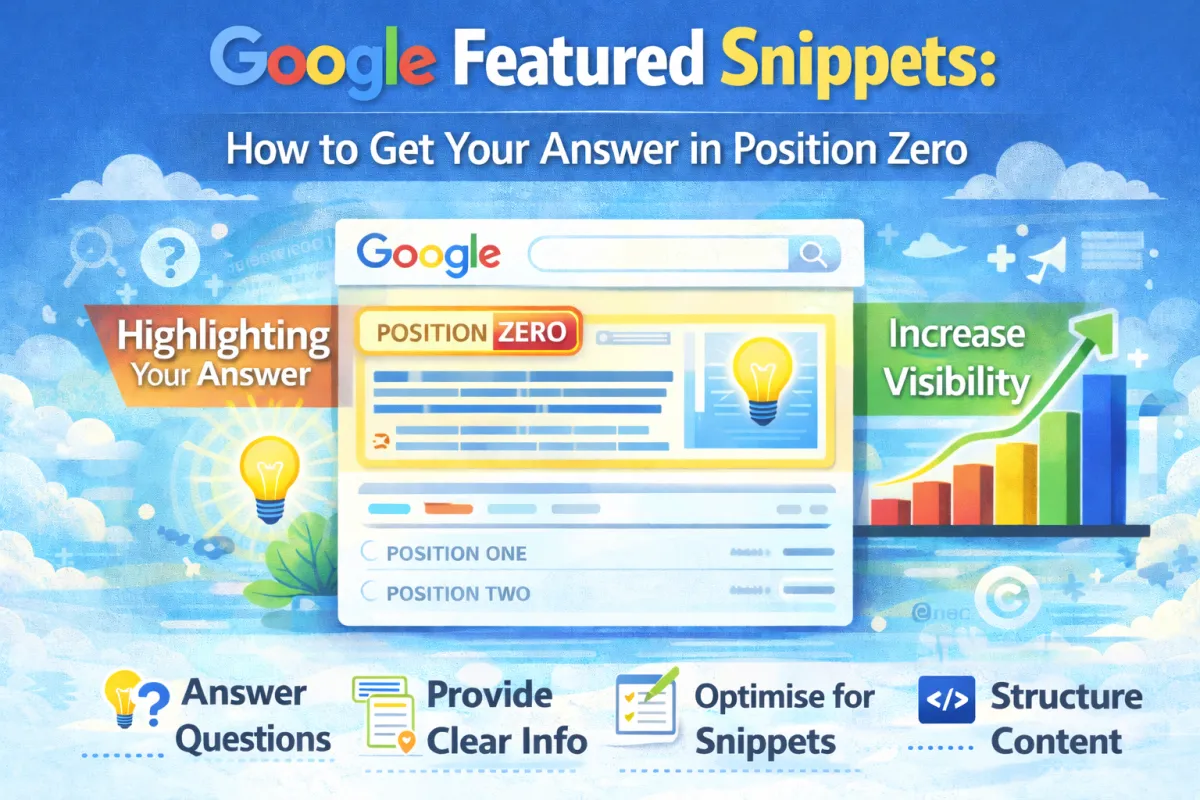
That box is called a Featured Snippet (or "Position Zero," because it appears above the #1 ranking).
Now here's what most small business owners don't realise: featured snippets get clicked more than the #1 ranking.
People see the answer in the snippet box and think, "That's exactly what I needed." They click the link to read more, or they're satisfied with the answer and move on.
If your website shows up in a featured snippet, you get a massive visibility boost. You're not just #1—you're above #1.
The crazy part? You can actually optimise for featured snippets. It's not luck or magic. It's a specific strategy.
In this post, I'm going to show you exactly what featured snippets are, why they matter, and how to get your content to appear in one.
What Are Featured Snippets (Really)?
Let's start with the basics.
A Featured Snippet is a special search result that appears at the top of Google's search results. It's usually in a box and contains a direct answer to the user's question.
You'll see featured snippets for questions like:
"How much does a kitchen renovation cost?" → Google shows a paragraph answer
"How to change a car tire" → Google shows a numbered list with steps
"What's the capital of France?" → Google shows a quick answer (Paris)
"Best coffee shops in Bristol" → Google shows a table with shop names, ratings, and addresses
There are four main types of featured snippets:
1. Paragraph Snippets These show a paragraph of text answering the question. Usually 40-60 words. Most common type.
2. List Snippets These show a bulleted or numbered list. Good for "how to" or "best of" questions.
3. Table Snippets These show structured data in a table format. Good for comparisons or data.
4. Video Snippets These show a video embedded at the top. Less common but powerful.
Why Featured Snippets Matter for Your Business
Here's the big question: does getting a featured snippet actually help your business?
Short answer: yes, absolutely.
Here's what we know about featured snippets:
1. They Get More Clicks Studies show that featured snippets get 30-50% more clicks than organic results below them, even though the snippet already shows the answer.
Why? Because the snippet draws attention. It stands out. And people are curious to read more.
2. They Build Authority When Google features your content in a snippet, it's essentially saying "This is a trusted, authoritative answer."
Visitors see you as an expert. They're more likely to trust you and convert.
3. They Provide Additional Visibility You might rank #7 for a keyword. But if you're in the featured snippet for that keyword, you show up at the very top. Even if you're not #1.
Real example: A local accountant in Manchester wasn't ranking in the top 10 for "How much does a tax return cost?" But their article about tax return pricing was featured in a snippet at the top.
They were getting traffic and enquiries from that snippet even though they weren't technically ranking high for that keyword.
4. They Increase Organic Traffic One study found that websites appearing in featured snippets saw an average 20% increase in organic traffic.
Not always massive, but consistent.
The Types of Questions That Have Featured Snippets
Not every keyword has a featured snippet. But the ones that do are usually higher-intent questions.
Featured snippets typically appear for:
"How to" questions
"How to get Google reviews"
"How to optimise for local SEO"
"How much does a website cost?"
"What is" questions
"What is SEO?"
"What is a backlink?"
"What is schema markup?"
"Best" or "Top" questions
"Best SEO tools"
"Top web design agencies"
Comparison questions
"SEO vs paid ads"
"WordPress vs Shopify"
Definition questions
"What does CRO mean?"
"Define keyword density"
If your target keywords are these types of questions, there's probably a featured snippet opportunity.
How to Find Featured Snippet Opportunities
First, you need to know which keywords actually have featured snippets.
Step 1: Search Your Keywords
Go to Google and search your target keywords. Look at the top of the results. Do you see a featured snippet box?
Example: Search "how to get more Google reviews" and look at the top of the results.
If there's a featured snippet, Google's already showing it. Your job is to make your content better than the current snippet so Google replaces it with yours.
Step 2: Use a Free Tool
You can also use free tools to find featured snippet opportunities:
Ubersuggest (free version):
Go to ubersuggest.com
Search your keyword
Look for "Featured Snippet" in the results
It'll show the current snippet and tell you if there's an opportunity
Ahrefs Webmaster Tools (free):
Set up your website
Go to "Content gaps"
See keywords where you rank but don't have a featured snippet
Google Search Console (free):
Go to your Search Console
Look at queries where you rank 2-10
These are great opportunities for featured snippets
If Google already has a featured snippet for that keyword, you can try to claim it
Step 3: Focus on Keywords You Already Rank For
This is important: you're most likely to get a featured snippet for keywords where you already rank on page 1.
Why? Because Google already trusts your content. You just need to format it better.
If you rank #7 for a keyword that has a featured snippet, optimizing that article gives you a good chance of moving to the snippet. Much easier than trying to rank from scratch.
How to Optimise Your Content for Featured Snippets
Okay, so you've identified a keyword with a featured snippet opportunity. Now let's optimize your content to claim it.
For Paragraph Snippets
These are the most common. Google shows 40-60 words of text as the answer.
How to optimise:
Find the current snippet – Look at what Google is currently showing in the featured snippet for your keyword
Make your answer better – Write a paragraph that:
Directly answers the question in plain language
Is 40-60 words long (ideally)
Uses the exact question as context (e.g., if the question is "How much does local SEO cost?" your paragraph should start with answering that directly)
Position it prominently – Put your best answer high on the page, ideally in an H2 or H3 heading followed by the paragraph
Use natural language – Write for humans, not robots. Google likes natural, conversational answers.
Real example:
The question: "How much does local SEO cost?"
The current snippet: "Local SEO costs between £500-£2000 per month depending on competition and scope of work."
Your optimised answer: "Local SEO costs typically range from £500 to £2000 per month. For a simple local business just starting out, expect to pay £300-£500/month. For competitive markets or larger businesses, £1500-£2000/month is common. Some agencies charge a one-time fee of £1000-£5000 instead of monthly."
Notice: it's specific, helpful, and directly answers the question.
For List Snippets
Google shows a bulleted or numbered list as the answer.
How to optimise:
Use clear formatting – Use H2 or H3 headings for each item
Keep items concise – Each bullet point should be 1-2 lines max
Use natural lists – Don't artificially force lists. If the question is "Best practices for SEO," list actual best practices in a logical order
Include intro text – Add a brief sentence or two before the list explaining what it's about
Real example:
The question: "What are the key steps for local SEO?"
Optimised list: "Here are the essential steps for local SEO success:
Claim and optimise your Google Business Profile
Build consistent citations across online directories
Collect Google reviews from happy customers
Optimise your website for local keywords
Build local backlinks from community and industry sites
Ensure your NAP (name, address, phone) is consistent everywhere"
Simple. Clear. Directly answers the question.
For Table Snippets
Google shows structured data in a table.
How to optimise:
Create an actual HTML table on your page with the comparison or data
Use clear headers – First row should clearly label each column
Keep it organised – Sort data logically (alphabetically, by price, by rating, etc.)
Make it easy to scan – Not too many rows (5-10 is ideal). Not too many columns.
Real example:
If someone searches "SEO tools comparison," you could create a table:
ToolMonthly CostBest ForEase of UseUbersuggest£10-40Keyword researchBeginnerAhrefs£99-999Backlink analysisIntermediateSEMrush£99-500All-in-oneIntermediate
Google might feature this as a snippet.
Technical Elements That Help
Beyond content optimisation, a few technical things help:
1. Use Header Tags Properly
H1 for your main heading
H2/H3 for subheadings with your answer
Google scans these tags looking for answers
2. Add Schema Markup
Schema markup helps Google understand your content better
Use FAQ schema if you're answering questions
Use Article schema for blog posts
3. Use Descriptive Alt Text for Images
If you include images, use clear alt text
Google uses this to understand what the image shows
4. Make Your Content Long Enough
Featured snippets usually come from pages with 2000+ words
Short, thin content rarely gets featured
But don't add fluff—keep it relevant
5. Mobile-Friendly Design
Google prioritises mobile-friendly content
Make sure your tables and lists display properly on mobile
Real-World Case Study
Let's look at how one business actually got a featured snippet.
The Business: A local electrician in Leeds.
The Opportunity: They ranked #6 for "How much does rewiring a house cost?" Google was already showing a featured snippet, but it was from a national home improvement site with generic information.
What They Did:
Researched the current snippet – It said "House rewiring costs £1500-£3000 depending on size." Very generic.
Created better content – They wrote a detailed guide including:
Cost breakdown (£100-150 per outlet, £50-100 per light switch, etc.)
Factors affecting cost (house size, age, complexity)
Yorkshire-specific cost differences
DIY warning (why you shouldn't do it yourself)
Timeline expectations
Real example: "A 3-bedroom Victorian terrace in Leeds typically costs £2400-£3200"
Optimised the snippet answer – In their guide, they created a clear paragraph: "House rewiring in Leeds typically costs £2400-£3200 for a 3-bedroom property. Costs vary based on your home's age, size, and complexity. Expect £100-150 per outlet, £50-100 per light switch, and £300-500 per breaker. Older houses usually cost more. The average project takes 5-7 days."
Added schema markup – Used FAQ schema to mark up questions and answers
Improved page speed – Optimized images and caching
Results (6 weeks later):
Their featured snippet replaced the national site's snippet
Traffic from that keyword increased 34%
They got 3 enquiries directly from people clicking the snippet
Their ranking also improved from #6 to #3 (even better)
The lesson: they didn't just optimise. They made their answer better than the existing snippet.
FAQ
Q: How long does it take to get a featured snippet? A: Usually 2-6 weeks if you optimize existing page-one content. If you're not ranking yet, 2-3 months minimum.
Q: Do I need to rank #1 to get a featured snippet? A: No. Featured snippets often come from pages ranking #3-10. But you usually need to rank on page one.
Q: Can I have a featured snippet and be #1 at the same time? A: Yes. Sometimes your #1 result is also the featured snippet. Sometimes they're different pages. Google shows whichever it thinks is best.
Q: How many featured snippets should I target? A: Start with 5-10 keywords that have featured snippets and where you rank on page 1. Optimise those first. Then expand.
Q: Do featured snippets hurt my click-through rate? A: Sometimes people get their answer from the snippet and don't click. But overall, featured snippets drive more traffic than not having one. It's a net positive.
Q: Can I get a featured snippet for competitive keywords? A: Yes, but it's harder. Start with lower-competition keywords. Once you get good at it, try competitive ones.
Q: What if there's no featured snippet for my keyword? A: You could still create one. Write content that answers the question so clearly that Google features it. Or the keyword might not have a snippet because it doesn't fit one of the four types.
Q: Should I optimise for featured snippets if I already rank #1? A: Yes. Featured snippets get more clicks than regular #1 results in many cases. It's worth claiming it.
Q: Do featured snippets work for local keywords? A: Sometimes. Try optimising for "how to" and "what is" questions in your local area. "How to find a good plumber in [city]" might have a snippet opportunity.
Q: Can I update my snippet if it's already showing? A: Yes. If you improve your content, Google will update the snippet. Usually takes 2-4 weeks.
Q: What's the best type of featured snippet to target? A: Paragraph snippets are most common and easiest to optimise. Lists are second. Tables are less common but very powerful when they work.
Q: Does having a featured snippet improve overall rankings? A: Not directly. But the increased traffic and engagement can indirectly help. Plus, visitors see you as more authoritative, which can improve conversions.
The Bottom Line
Featured snippets are underutilised by most small businesses. But they're one of the easiest ways to get more visibility without competing for the #1 ranking.
You don't need special tools or fancy tactics. You just need to:
Find keywords with snippets where you already rank
Write better answers than the current snippet
Format them clearly (paragraph, list, or table)
Wait for Google to update
That's it.
Even if you only get 2-3 featured snippets, you'll see measurable traffic and enquiry increases. And the traffic from snippets tends to be high-quality because people are actively searching for answers.
Want help identifying featured snippet opportunities for your business?
We'll audit your site, find keywords where you could get featured snippets, and optimise your content to claim them. Most of our clients see results within 4-6 weeks.
No guesswork. Just specific opportunities tailored to your business.
You can also get in touch directly if you'd prefer email or phone.