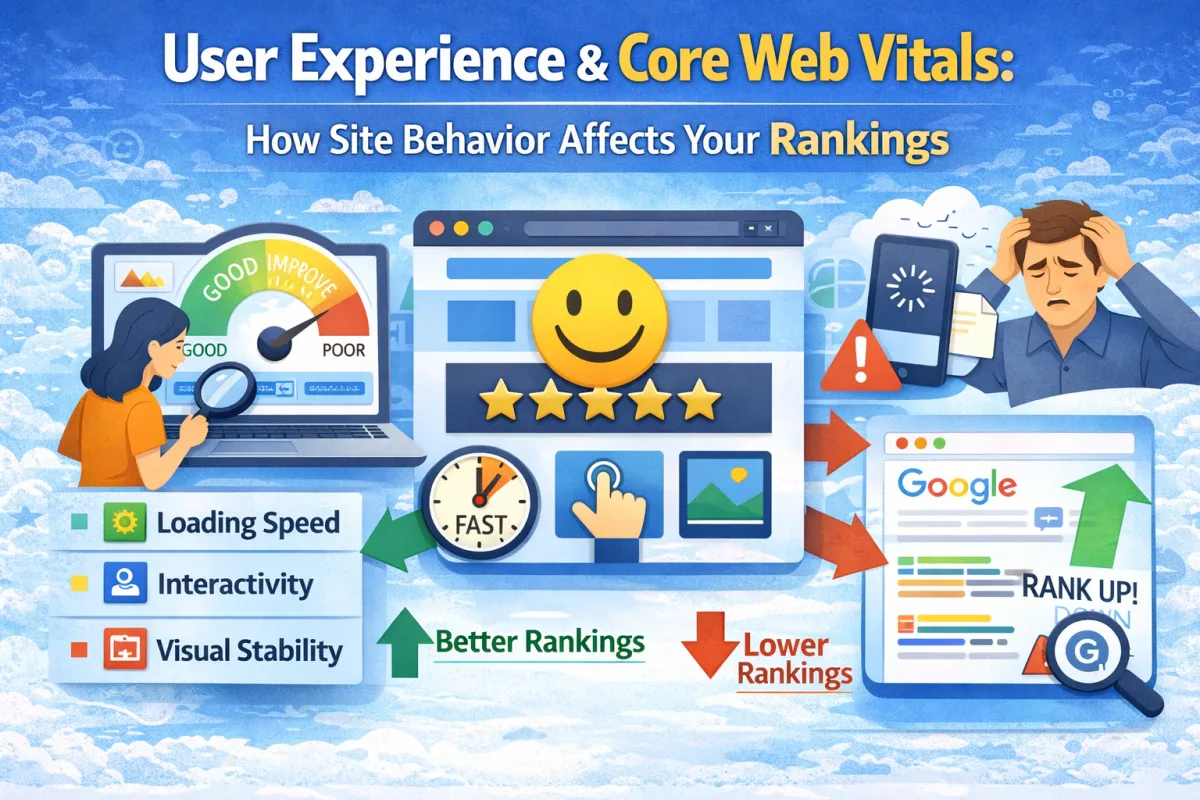
User Experience and Core Web Vitals: How Site Behavior Affects Your Rankings
A fitness studio website looked great. Clean design. Good navigation. Helpful content.
But people hated using it. When they tried to book a class, the page felt sluggish. It took 5 seconds to respond to their clicks. By the time the booking form loaded, some people had already left and looked for a competitor instead.
The business owner had no idea this was happening. The website looked fine on their computer.
Then they checked Google PageSpeed Insights. They discovered their site was "slow" for mobile users. More specifically, their Core Web Vitals were poor.
They optimised the site. Fast. Mobile-friendly. Responsive to clicks.
Within two weeks, their booking conversion rate went up 18%. Within a month, their organic rankings improved too.
Here's what they learned: user experience doesn't just affect conversions. It directly affects rankings.
Google now uses Core Web Vitals as a ranking factor. If your site is slow or sluggish, Google penalizes you. If your site is fast and responsive, Google rewards you.
In this post, I'm going to explain Core Web Vitals and how to improve them so both users and Google are happy.
What Are Core Web Vitals?
Core Web Vitals are a set of metrics that measure how your website actually performs for users. They measure speed, responsiveness, and visual stability.
Think of them as a report card for user experience. They tell you how good (or bad) your website feels to use.
Google has three Core Web Vitals: Largest Contentful Paint (LCP), Interaction to Next Paint (INP, which replaced First Input Delay), and Cumulative Layout Shift (CLS).
Let me explain what each one means in plain language.
Largest Contentful Paint (LCP)
LCP measures how fast your page loads. Specifically, how long until the largest element on the page (usually the main image or heading) appears.
This is what users care about most. When they click your link, how long before they see something meaningful?
A good LCP is under 2.5 seconds. Anything over 4 seconds feels slow.
Real example: Someone clicks "emergency plumber near me" and lands on your website. If your LCP is 1 second, your main heading and image appear immediately. They know they're in the right place. If your LCP is 6 seconds, they stare at a blank screen wondering if anything's happening. They probably bounce.
Most websites have LCP problems because of heavy images, unoptimized code, slow hosting, or unminified CSS and JavaScript.
Interaction to Next Paint (INP)
INP measures how responsive your page is to user interactions. When a user clicks a button or types in a form, how long until the page responds?
This is the sluggishness people notice. They click "Book Now" and nothing happens for three seconds. Then it responds. That's a bad INP.
A good INP is under 200 milliseconds. Anything over 500ms feels sluggish.
Real example: Someone's filling out your contact form. They type their name. The form should respond immediately. But if your site has bad INP, there's a delay. They type "John" and it appears as "Joh" at first, then the rest appears a second later. This feels broken. People think your form isn't working properly.
INP problems usually come from heavy JavaScript execution, too much code running in the background, or poor coding practices.
Cumulative Layout Shift (CLS)
CLS measures visual stability. Do elements move around while the page is loading?
A good CLS is under 0.1. Anything above 0.25 is bad.
Real example: Someone's reading your blog post. An ad loads and pushes all the text down. They lose their place. They have to scroll back up to find where they were reading. That's bad CLS. Or they're about to click your contact button, and an image loads above it, shifting the button down so they accidentally click something else. Bad CLS.
CLS problems usually come from unoptimized images, ads that load late, or dynamic content that shifts the layout.
Why Core Web Vitals Matter (For Rankings AND Conversions)
Google has made Core Web Vitals a ranking factor. Websites with poor Core Web Vitals rank lower than websites with good Core Web Vitals, all else being equal.
But beyond rankings, Core Web Vitals affect conversions. A slow, sluggish site converts worse than a fast, responsive site. This is especially true for forms, e-commerce, and booking pages.
When your site loads fast and responds to clicks immediately, people trust it more. They feel confident using it. They're more likely to complete an action (fill out a form, book an appointment, make a purchase).
When your site is slow and unresponsive, people feel frustrated. They feel like something's wrong. They bounce to a competitor.
Good Core Web Vitals aren't just good for SEO. They're good for business.
How to Measure Your Core Web Vitals
You can check your Core Web Vitals using several tools.
Google PageSpeed Insights is the easiest. Go to pagespeedinsights.web.dev, enter your website URL, and it'll test your Core Web Vitals. It'll give you a score (0-100) and tell you which metrics need improvement.
Google Search Console also shows Core Web Vitals. In the left sidebar, go to "Experience" and you'll see "Core Web Vitals." This shows how real users experience your site (not just lab data).
These free tools give you everything you need. No paid tools necessary.
How to Improve Your Core Web Vitals
Here's how to improve each metric.
Improving LCP (Page Speed)
Compress and optimise your images. Large images are the #1 reason pages load slowly. Use a tool like TinyPNG to compress images without losing quality. Lazy load images (load them only when needed, not all at once).
Upgrade your hosting if it's slow. Cheap hosting is slow. It directly impacts page speed.
Enable caching. When a user visits your site, their browser caches files so subsequent visits are faster. Most modern platforms handle this automatically.
Minify CSS and JavaScript. This removes unnecessary characters from your code, making files smaller. Most website platforms do this automatically.
Use a Content Delivery Network (CDN) if you get traffic from outside the UK. A CDN serves your content from servers geographically closer to users, making it faster.
Reduce render-blocking JavaScript. JavaScript that needs to execute before the page renders slows things down. Defer non-critical JavaScript until after the page loads.
Improving INP (Responsiveness)
Reduce JavaScript execution time. Break up large JavaScript chunks into smaller pieces. Avoid processing large amounts of data on the main thread.
Use event delegation. If you have many clickable elements, use one event listener instead of many. This reduces code overhead.
Optimize third-party scripts. Third-party scripts (tracking, ads, chat widgets) can bog down your site. Load them asynchronously so they don't block user interactions.
Profile your code. Use Chrome DevTools to see which code is slow. Optimise the slowest parts.
Improving CLS (Visual Stability)
Reserve space for images before they load. Specify image dimensions in your HTML so the browser knows how much space to reserve. When the image loads, nothing shifts.
Avoid inserting content above existing content. If you need to load new content, insert it below, not above what's already visible.
Animate elements smoothly. If elements must move, use CSS animations (transform and opacity) instead of changing layout properties. CSS animations don't cause layout shifts.
Avoid pop-ups that appear without warning. Pop-ups that suddenly appear push content around. Reduce their use or make them predictable.
Optimize fonts. Font loading can cause layout shifts. Use font-display: swap to show a fallback font while your custom font loads.
Real-World Case Study
Let's look at how one business improved its Core Web Vitals and saw results.
The Business: A local optician in Edinburgh.
The Problem:
LCP: 5.2 seconds (slow)
INP: 480ms (sluggish)
CLS: 0.18 (okay but could be better)
Mobile PageSpeed score: 42 (very poor)
Monthly organic traffic: 220 visitors
Online appointment bookings: 2-3 per week
Ranking for "optician Edinburgh": #9
What They Did:
They identified the main problems. Large unoptimised images were causing slow LCP. Heavy JavaScript from tracking tools and ad networks was causing bad INP. Images loading without dimensions were causing CLS issues.
They optimised images. Compressed them using TinyPNG. Specified image dimensions in HTML. Lazy loaded images below the fold.
They cleaned up JavaScript. They deferred non-critical JavaScript until after page load. They removed unused JavaScript. They optimised third-party scripts by loading them asynchronously.
They fixed layout shifts. They reserved space for images before they loaded. They used CSS animations for elements that needed to move.
They upgraded their hosting to a faster provider.
They enabled caching so returning visitors got faster loads.
Results (within 6 weeks):
LCP: 5.2s → 1.8s (huge improvement)
INP: 480ms → 165ms (excellent)
CLS: 0.18 → 0.05 (excellent)
Mobile PageSpeed score: 42 → 86 (excellent)
Monthly organic traffic: 220 → 380 visitors
Online appointment bookings: 2-3/week → 6-8/week (170% increase)
Ranking for "optician Edinburgh": #9 → #4
Most importantly, bounce rate dropped from 58% to 32%. People stayed on the site and booked appointments.
They didn't create new content. They didn't get new backlinks. They improved user experience. And it had significant impact on both rankings and conversions.
Core Web Vitals Best Practices
Start by testing your site. Use PageSpeed Insights and see what needs improvement. Focus on your mobile site first, as mobile traffic is usually more important.
Prioritize LCP first. A fast-loading page is the foundation. Without it, people bounce before they even interact with your site.
Don't obsess over perfect scores. A PageSpeed score of 80+ is great. Anything above 75 is generally good. Don't spend weeks chasing the last 5 points.
Monitor your real user experience. Lab data (from PageSpeed Insights) is useful but artificial. Google Search Console shows real user experience. Focus on improving real Core Web Vitals.
Test regularly. Improvements in one area can affect others. After making changes, test again to verify improvements.
Keep things simple. Avoid unnecessary features, plugins, or third-party scripts that slow your site down.
Common Core Web Vitals Mistakes
The biggest mistake is ignoring Core Web Vitals completely. Many small business owners don't know what they are or why they matter. Then they wonder why their rankings don't improve even though they're creating good content.
Another mistake is using overly heavy themes or plugins. Some WordPress themes and plugins are bloated with features you don't need. They slow your site down significantly. Choose lean, well-coded tools.
Many businesses use poor quality hosting. Cheap hosting is slow. You can't have good Core Web Vitals on poor hosting. Upgrade.
Some businesses add too many third-party scripts (tracking, ads, chat widgets). Each one slows your site. Use only what you really need. Load them asynchronously so they don't block page rendering.
Finally, many businesses have large, unoptimized images. This is the #1 cause of slow LCP. Always compress and optimize images.
FAQ
Q: How much does Core Web Vitals affect rankings? A: It's one of many ranking factors. Content, backlinks, and on-page SEO still matter more. But poor Core Web Vitals can prevent your site from ranking its best, even with good content.
Q: What's a good PageSpeed score? A: 75+ is good. 80+ is great. Don't obsess over 100. It's not necessary. Some of the best-ranking websites have PageSpeed scores of 70-80.
Q: Can I improve Core Web Vitals without technical skills? A: Yes. Most improvements (image optimization, upgrading hosting, enabling caching) don't require coding. Talk to your web host or hire a developer if needed.
Q: Does Core Web Vitals affect desktop and mobile equally? A: Mobile is weighted more heavily. Most people browse on mobile. Focus on mobile Core Web Vitals first.
Q: How often should I test my Core Web Vitals? A: Test monthly. After making changes, test again to verify improvements. Don't obsess over daily testing.
Q: Can I improve Core Web Vitals without redesigning my site? A: Usually, yes. Most improvements (image optimisation, JavaScript cleanup, caching) don't require a redesign. Sometimes you might need to change a heavy theme or plugin, but full redesigns are rarely necessary.
Q: What if my hosting provider says they optimise for speed? A: Many hosting providers claim this but don't deliver. Test your site's actual performance. If it's still slow, consider upgrading to better hosting.
Q: Do Core Web Vitals matter for desktop visitors? A: Less critically than mobile. Google weighs mobile more heavily. But good Core Web Vitals on desktop are still beneficial.
Q: Can third-party integrations hurt my Core Web Vitals? A: Yes, significantly. Chat widgets, ad networks, tracking scripts—all can slow your site. Use only what you truly need and load them asynchronously.
Q: Should I sacrifice features for speed? A: Sometimes. A slower site with lots of features converts worse than a faster site with fewer features. Cut unnecessary features.
Q: How long does it take to see ranking improvements after improving Core Web Vitals? A: Usually 2-4 weeks. Google re-crawls and re-evaluates your site. You might see ranking improvements faster if you also improve other factors.
Q: Can I test Core Web Vitals without using Google tools? A: There are other tools, but Google's tools (PageSpeed Insights and Search Console) are the most important. Use those.
The Bottom Line
Core Web Vitals matter. They affect your rankings. They affect your conversions. They affect how users experience your site.
You don't need a perfect PageSpeed score. But you do need a fast-loading, responsive, stable website.
Start by testing your site using PageSpeed Insights. Identify your weak areas. Fix the biggest problems. Test again.
Most sites can significantly improve their Core Web Vitals with basic optimisations: image compression, removing unused code, upgrading hosting, and enabling caching.
Do this. Your users will thank you. Google will reward you. Your conversions will improve.
Want help improving your Core Web Vitals?
We'll test your site's Core Web Vitals and identify what's holding you back. We'll create a plan to improve speed, responsiveness, and visual stability. Most clients see ranking improvements and conversion improvements within 4-6 weeks.
Fast, responsive websites convert better and rank better.
You can also get in touch directly if you'd prefer email or phone.