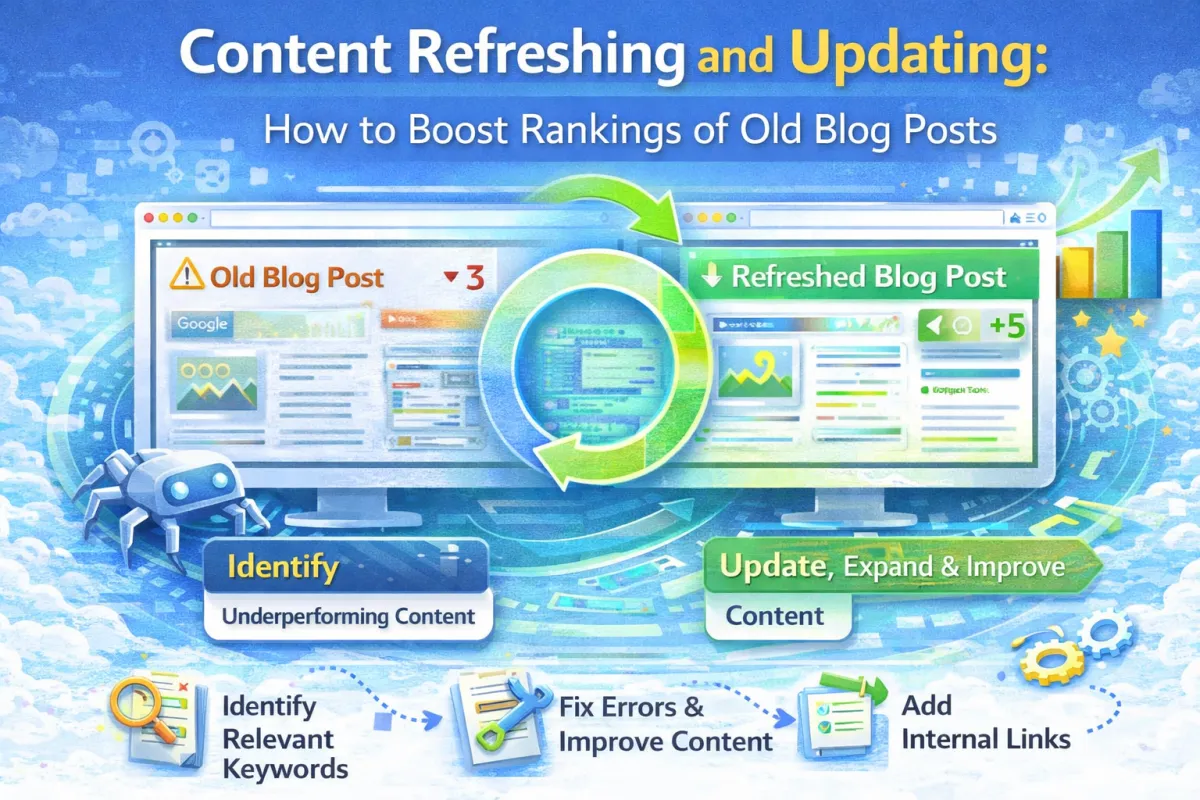
Content Refreshing and Updating: How to Boost Rankings of Old Blog Posts
A dentist had a blog post that ranked #5 for "how to fix a cracked tooth at home." It was published 18 months ago. It got about 50 visitors per month.
Not terrible. But not great either.
Then she did something simple: she updated it.
She added new information about temporary fixes. She added photos. She updated outdated statistics. She added more internal links. She expanded the FAQ section. The whole refresh took about two hours.
Within three weeks, it jumped to #2. Within a month, she was getting 180 visitors per month. That's a 260% increase from just updating old content.
She didn't publish a new post. She didn't get new backlinks. She just refreshed what she already had.
Here's what most small business owners don't realize: your old blog posts are assets. They've already done the hard work of getting indexed and getting some ranking power. Refreshing them is way easier than writing new posts.
In fact, refreshing old content often gives you faster results than creating new content.
In this post, I'm going to show you exactly how to refresh and update your blog posts to boost rankings.
Why Update Old Content?
Before we get into the how, let's talk about the why. Why should you spend time updating old content instead of just writing new posts?
Old content already has ranking power. If a post already ranks #5 for a keyword, updating it might push it to #2 or #1. A new post would start at #50+ and take months to climb. Updating is faster.
Google rewards fresh content. When you update a post, Google sees that as new content. The update signals freshness. Google is more likely to re-rank the page higher. This is especially true for topics where freshness matters (news, trends, statistics).
You're building on existing authority. Old posts that rank already have some backlinks pointing to them, some user engagement, and some history with Google. Updating preserves that authority while making the content better.
Updates are faster to create than new posts. Writing a new 1500-word post takes 3-4 hours. Refreshing an existing post usually takes 1-2 hours. You're adding to what's already there, not starting from scratch.
You get quick wins. If you have 20 old blog posts, refreshing even 5 of them can give you a significant traffic boost within a few weeks. Creating 5 new posts would take much longer to see results.
So instead of adding one new post per month, consider this: write one new post and refresh 1-2 old posts. You'll get faster results and more overall traffic growth.
What Counts as "Updating" Content?
Not every small change counts as a meaningful update. Adding one sentence doesn't cut it.
A meaningful update includes at least one of these: adding significant new information or sections (500+ words of new content), updating statistics with current data, refreshing examples with recent case studies, improving the writing and structure, adding or updating images, expanding the FAQ or Q&A section, improving the call-to-action, updating the internal links to point to new or updated content, or adding new research or citations.
When you make a meaningful update, Google's crawler will re-crawl your page. Google will see fresh content. If the content is good, your ranking can improve.
A meaningful update takes 1-2 hours for a typical blog post. You're not rewriting the whole thing. You're improving it.
How to Identify Which Posts to Update
You could update every blog post on your site. But that's inefficient. You should prioritize.
Update posts that already rank somewhere on page 1 or page 2 of search results. These are posts with ranking potential. A small refresh might push them higher.
Update posts that get decent traffic. If a post gets 50+ visitors per month, it's worth updating. If a post gets 5 visitors per month, creating a new post might be better.
Update posts about topics that are still relevant. If you wrote a post about "2022 holiday trends," it's less valuable now. But a post about "how to fix a leaky tap" is still relevant in 2026.
Update posts in clusters. If you have a cornerstone post and several supporting posts, update them together. This strengthens the whole cluster.
Update posts that have outdated information. If your statistics are from 2021 and we're now in 2026, it's time to update. Outdated information signals to Google that your content is stale.
You can identify which posts to update using Google Search Console. Go to Performance and sort by clicks or impressions. Look at posts that have good traffic but don't rank super high. These are refresh candidates.
The Content Refresh Process
Here's exactly how to refresh a blog post.
Step 1: Audit the Current Post
Read through your old post. What's outdated? What's missing? What could be better?
For a post about "how to fix a leaky tap," you might notice the photos are blurry. The writing is a bit unclear. There's no mention of when to call a professional. The internal links point to pages that no longer exist. The statistics are from 2020.
Write all this down. This is your refresh checklist.
Step 2: Update Outdated Information
Replace old statistics with current ones. Update examples. Remove information that's no longer accurate.
If your post mentioned "Facebook is the best social platform for reaching small business owners," update that to reflect 2026 reality.
If your statistics came from 2021, find current statistics. This is crucial. Google penalizes outdated information.
Step 3: Add New Sections
Look at what's missing. Can you add a new section that improves the post?
For "how to fix a leaky tap," you might add a section on "When to Call a Professional." Or "Common Mistakes to Avoid." Or "Different Types of Taps and How They Work."
Add 500+ words of new content. This signals meaningful updating to Google.
Step 4: Improve the Writing
Read through and improve clarity and flow. Update old phrasing. Break up dense paragraphs. Add subheadings if needed.
You don't need to rewrite everything. Just improve it.
Step 5: Update Images
Replace blurry images with clearer ones. Add new images that support the new sections. Make sure all images are optimized for web (compressed, appropriate size).
Fresh images signal freshness to Google.
Step 6: Expand the FAQ Section
Add new questions people might ask. Answer them thoroughly.
Your old FAQ had 8 questions. Your new FAQ has 12. This adds value and fresh content.
Step 7: Update Internal Links
Make sure you're linking to current pages. Update dead links. Add links to new posts you've published since the original post.
If you've written new posts related to the topic, link to them.
Step 8: Improve the CTA
Update your call-to-action. Make it compelling. Make sure it's clear what action you want the reader to take.
Instead of "Contact us," try "Book your free consultation" or "Get your free guide."
Step 9: Add Meta Data
Update your title tag and meta description if needed. You can add timely words like "Updated 2026" or "Latest Guide."
Google sometimes uses this as a freshness signal.
Step 10: Publish
Update the post. Hit publish. Note the update date so you remember when you refreshed it.
The total process takes 1-2 hours. Often, you'll see ranking improvements within 2-4 weeks.
Real-World Case Study
Let's look at how one business used content refreshing to improve rankings.
The Business: A local garden design company in Bristol.
The Situation: They had published 15 blog posts over the past 18 months. Most ranked somewhere #10-20 for various keywords. They were getting about 300 organic visitors per month. But they wanted to grow faster.
Instead of creating new content (which would take months to see results), they decided to refresh their best-performing posts.
What They Did:
They identified their 8 posts that already ranked on page 2 (positions #11-20). These had ranking potential. They also identified 5 posts with outdated information or poor structure.
They created a refresh schedule: refresh 2 posts per week for 5 weeks. This would be 10 refreshes in total.
For each post, they followed the refresh process. They updated statistics (some were from 2023). They added new case studies. They improved the writing. They added 200-400 words of new content to each post. They updated internal links to point to other posts they'd published recently.
For a post on "Garden Design Trends," they added a new section on "Sustainable Garden Design Trends 2026." This added current, timely information.
For a post on "Small Garden Design Ideas," they added new photos of completed projects. They added a new section on vertical gardens (which had become more popular since the post was written). They updated the FAQ with more specific questions.
For another post on "Budget Garden Design," they updated pricing information (everything had gotten more expensive) and updated case studies with recent projects.
Results (8 weeks after completing the refreshes):
Posts they refreshed: average ranking improved from #14 to #6
Organic traffic: 300 visitors/month → 580 visitors/month (93% increase)
3 posts that were ranked #15-20 now ranked #1-3
Organic enquiries: 2-3/month → 6-8/month
Total time spent on refreshes: about 20 hours spread over 5 weeks
They didn't create new content. They improved what they had. And they saw faster results than they would have with new posts.
Content Refresh Strategy
Here's how to build a content refresh strategy:
Month 1: Identify your 5-10 best-performing old posts (highest traffic, decent rankings, still relevant).
Month 2: Refresh 2 posts. Track the results. See if rankings improve.
Month 3-onwards: Build a rhythm. Refresh 2 posts per month while also creating 1 new post per month.
This balanced approach means you're constantly improving your existing content while also adding new content.
Over a year, you'll have refreshed 24 posts and created 12 new posts. The refreshed posts will see ranking improvements quickly. The new posts will build authority over time.
This is more efficient than creating 36 new posts.
When NOT to Refresh (and When to Write New Instead)
Some posts shouldn't be refreshed. Some should be deleted.
If a post ranks #40+ for its keyword and gets very little traffic, it's not worth refreshing. Create something new instead.
If a post is about a topic nobody cares about anymore, delete it or replace it with new content.
If a post is about outdated technology or methods, delete it. Don't try to refresh it.
If a post has the wrong angle for your business, delete it.
But if a post has good foundations (some traffic, decent ranking, relevant topic), refresh it. The return on investment is usually better than creating new content from scratch.
FAQ
Q: How often should I refresh my blog posts? A: Ideally, review your top posts every 6-12 months. Update the ones with outdated information or that need improvement. You don't need to refresh all posts constantly.
Q: Will updating an old post hurt my ranking temporarily? A: Sometimes there's a small temporary dip (1-2 weeks) while Google re-indexes. But usually, good updates lead to ranking improvements within 2-4 weeks.
Q: How much new content should I add when refreshing? A: Add at least 200-300 words of substantial new content. More is fine, but 200-300 words usually signals meaningful updating to Google.
Q: Should I change the publish date when I update a post? A: You can add an "updated" date while keeping the original publish date. This shows the post has history while also showing it's recently updated.
Q: What if my old post is ranking well? Should I still update it? A: If it's already ranking #1-3, updating can help it stay there. But posts ranking in top 3 might not benefit as much from updates. Focus on posts ranking #5-20.
Q: Can I completely rewrite an old post? A: Yes, but it might be better to write a new post. Completely rewriting loses the original content's history and backlinks. Major rewrites are usually better as new posts.
Q: How do I know if my update was successful? A: Check Google Search Console 2-4 weeks after updating. Compare the post's ranking before and after. Compare traffic before and after.
Q: Should I update all my blog posts or just some? A: Focus on your best performers first. Posts with good traffic and ranking potential. You don't need to update all posts. Pick the most valuable ones.
Q: What if I update a post and the ranking doesn't improve? A: That happens sometimes. Not every update leads to ranking improvement. But the content is still better, which helps with user experience and conversions.
Q: Is updating a post the same as rewriting it? A: No. Updating means improving and adding to existing content. Rewriting means starting from scratch with new content. Updates preserve the original post's authority.
Q: Should I refresh posts that are doing well organically? A: Yes, especially if they have outdated information. Keeping top-ranking posts fresh helps maintain those rankings and often improves them further.
Q: How do I prioritize which posts to refresh first? A: Refresh posts that rank #5-15, get 50+ monthly visitors, have outdated information, or are about popular topics people still search for.
The Bottom Line
Content refreshing is one of the fastest ways to boost your rankings and traffic.
Old blog posts are assets. They have ranking power. They have backlinks. They have authority. Refreshing them is way faster than creating new posts.
Instead of spending 4 hours writing a new post (that will take months to rank), spend 2 hours refreshing an old post. You'll likely see ranking improvements within 2-4 weeks.
Build this into your SEO strategy. Every month, refresh 1-2 old posts while creating 1 new post. Over time, your entire blog becomes fresher, more authoritative, and drives more traffic.
Your old content isn't dead. It's waiting to be refreshed.
Want help refreshing your blog content?
We'll audit your blog posts and identify which ones are worth refreshing. We'll create a refresh plan and help you execute it. Most clients see ranking improvements and traffic increases within 4-6 weeks.
Quick wins. Better ROI than creating new content from scratch.
You can also get in touch directly if you'd prefer email or phone.