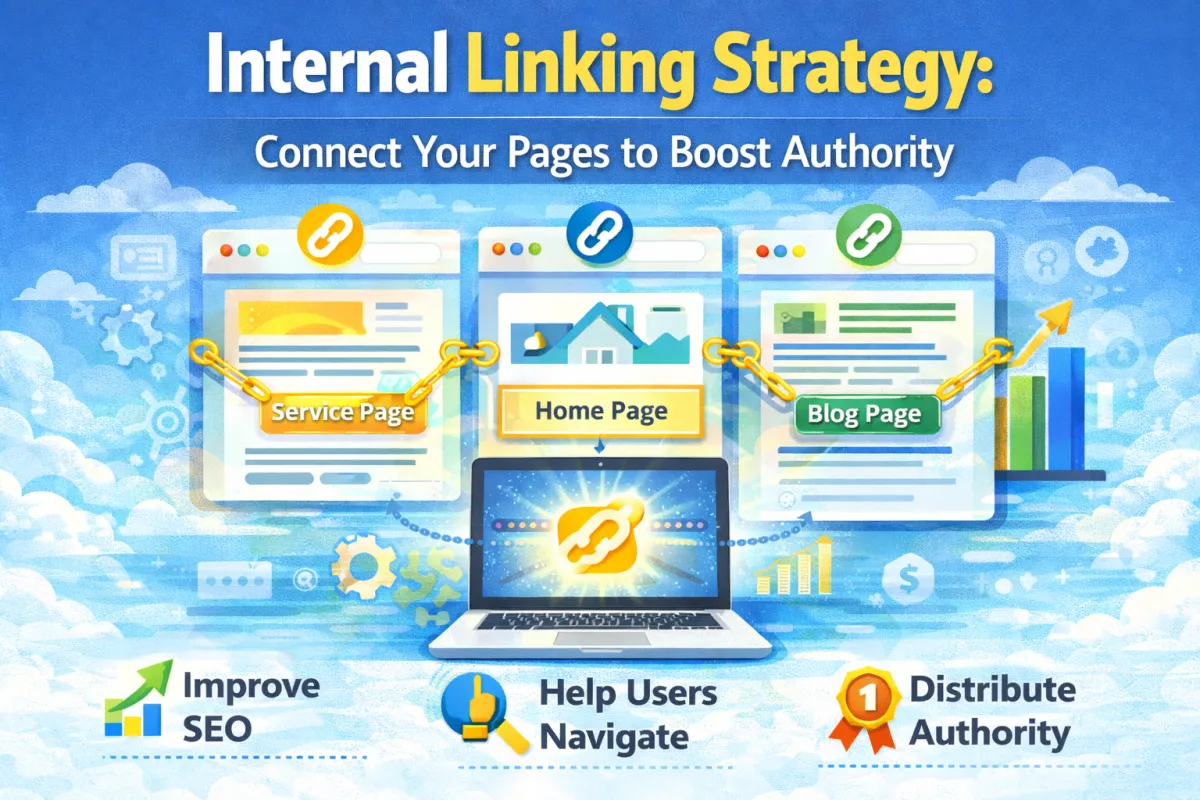
Internal Linking Strategy: Connect Your Pages to Boost Authority
Here's something weird about SEO that most small business owners don't understand:
You can improve your Google rankings just by linking to your own content differently.
No new links from external websites. No new content. Just rearranging links on pages you already have.
It sounds too simple to work. But it does.
Internal linking is one of the most underused SEO tactics. Most small businesses either ignore it completely or do it randomly without any strategy.
But when you do it right? It's incredibly powerful. It tells Google which pages are most important. It spreads ranking power throughout your site. And it helps visitors navigate your content.
In this post, I'm going to show you exactly how to build an internal linking strategy that boosts your rankings and helps your visitors find what they need.
What Is Internal Linking (Really)?
Let's start with the basics.
An internal link is a link from one page on your website to another page on your website.
That's it. Simple.
Examples:
A link from your homepage to your "Services" page
A link from your blog post about SEO to another blog post about keywords
A link from your contact page back to your homepage
A link in your navigation menu
Every website has internal links. But most websites don't think strategically about them.
They just link randomly. Or they only link in the navigation menu. Or they forget to link their new content at all.
When you build a strategic internal linking structure, you're telling Google: "This page is important. This page is connected to these other pages. These pages support each other."
And Google listens.
Why Internal Linking Matters (More Than Most People Think)
Here's why internal linking is so powerful:
1. It Distributes Authority Throughout Your Site
Imagine you have a webpage that ranks well and gets backlinks. That page has "authority" in Google's eyes.
When you link from that authoritative page to another page on your site, you're sharing some of that authority.
It's like saying: "Google, this other page on my site is also important. I'm linking to it from my best page."
Google takes that as a signal that the linked page deserves higher rankings.
Real impact: A blog post linking to 5 internal pages can boost the rankings of all 5 pages.
2. It Helps Google Crawl and Understand Your Site
Google sends bots to crawl your website. These bots follow links to discover pages.
If a page isn't linked from anywhere, Google might never find it. Or it might take months.
Good internal linking ensures every important page is discoverable and crawled frequently.
3. It Improves User Experience
When you link relevant pages together, visitors can easily navigate your site.
They land on one page, find a relevant link, click it, and stay longer on your site.
Longer sessions signal to Google that your site is good quality.
4. It Reduces Bounce Rate
If a visitor lands on a page and there are no internal links to other relevant content, they'll probably leave.
But if you link to related pages, they're more likely to click and explore.
Real example: A plumbing website had a page about "Emergency Boiler Repairs" with no internal links. Bounce rate: 72%.
When they added internal links to related pages ("Boiler Maintenance Tips," "When to Replace Your Boiler," "Boiler Cost Guide"), bounce rate dropped to 44%.
Same page. Better linking. Better engagement.
5. It Establishes Information Architecture
Internal linking creates a structure for your website. It tells Google (and visitors) how your content is organized.
This helps Google understand your site better and can improve rankings across the board.
The Two Types of Internal Links (And Why Both Matter)
Not all internal links are created equal. There are two main types, and they serve different purposes.
1. Navigation Links
These are the links in your menu, header, footer, and sidebar. They're always present on every (or most) pages.
Examples:
Links in your main navigation menu
Links in your footer
Links in your sidebar
Purpose: Help visitors navigate your site. Help Google discover pages.
Best practice: Keep navigation consistent. Every page should have the same navigation, making it easy for both visitors and Google to move around.
2. Contextual Links
These are links embedded within your content. They appear in the middle of paragraphs or in related content sections.
Examples:
"For more information on this topic, see our [complete guide to keyword research]"
A "Related Articles" section at the bottom of a blog post
Links within paragraph text
Purpose: Share authority. Connect related topics. Improve user experience.
Best practice: Use contextual links to connect related pages. Link with purpose, not randomly.
Which is more powerful? Contextual links are more powerful for SEO because they're more intentional. But both matter.
How to Build Your Internal Linking Strategy
Alright, let's get strategic. Here's how to build an internal linking plan that actually works.
Step 1: Map Your Website Structure
First, understand what pages you have and how they relate to each other.
Create a simple spreadsheet with:
Page name (e.g., "Homepage," "Services," "Blog: How to Rank on Google")
Page URL
Main topic/keyword
Which pages it should link to (pages on similar topics)
Real example: A web design agency might map:
PageTopicShould Link ToHomepageWeb design servicesServices page, case studies, blog postsServicesWeb design, SEO, content writingSpecific service pages, case studies, related blog postsBlog: SEO ChecklistSEO tipsSchema markup post, page speed post, keywords postBlog: KeywordsKeyword researchSEO checklist, content strategy postCase Study: Plumber WebsiteCase studyServices page, blog posts about web design
You don't need anything fancy. A spreadsheet is fine.
Step 2: Identify Your "Pillar" Pages
Pillar pages are your most important pages. Usually these are:
Your homepage
Your main service pages
Your most popular blog posts
Your guide pages
These pillar pages should get the most internal links because they're your most important content.
Real example: For a dental practice:
Homepage (pillar)
Cosmetic Dentistry page (pillar)
General Dentistry page (pillar)
Blog: "How to Prevent Cavities" (pillar if it gets lots of traffic)
Supporting pages (like "FAQ," "Contact Us," "About Us") are less important and don't need as many links.
Step 3: Create Linking Opportunities
Now, where should you actually add these internal links?
Best places to add contextual internal links:
A. Blog posts (easiest)
Link to related blog posts within the text
Link to relevant service pages
Link to guide pages
Link to pillar pages when relevant
B. Service pages
Link to case studies showing that service
Link to related blog posts
Link to FAQ pages
Link to other related services
C. Your homepage
Link to your most important service pages
Link to popular blog posts
Link to case studies or testimonials
Link to your main offer
D. Pillar pages / Guide pages
Link to supporting pages
Link to related blog posts
Link to case studies
Step 4: Use Anchor Text Strategically
Anchor text is the clickable text of a link. Google uses anchor text to understand what the linked page is about.
Bad anchor text: "For more information, [click here]"
Google doesn't know what the linked page is about.
Good anchor text: "[Learn more about our SEO services]"
Google understands the linked page is about SEO services.
Best practice:
Use descriptive anchor text that includes the keyword of the linked page
Vary your anchor text (don't use the exact same phrase for every link)
Keep it natural (don't stuff keywords)
Examples:
Linking to a page about "Local SEO":
✅ "Learn about local SEO for plumbers"
✅ "Get found by local customers with SEO"
❌ "Click here for local SEO"
❌ "Local SEO local SEO local SEO" (keyword stuffing)
Step 5: Link to Relevant Pages (Not Random Pages)
This is crucial. Only link to pages that are actually relevant to the content.
Don't link:
Your homepage from every page (unless it makes sense)
Every page to every other page (creates clutter)
Random pages that aren't related
Pages you're trying to hide
Do link:
Related topics within the same content area
Supporting information on other pages
Pages that answer questions the visitor might have next
Pillar pages from supporting pages
Real example: A blog post about "How to Choose an Accountant" should link to:
✅ Related post: "Questions to Ask Your Accountant"
✅ Service page: "Accountancy Services"
✅ Pillar page: "Guide to Small Business Finances"
❌ Unrelated post: "Best Coffee Shops in Brighton"
❌ Random page: "Contact Us"
Step 6: Implement the "Cornerstone Content" Strategy
Cornerstone content is your most important, comprehensive content. It should:
Cover a topic thoroughly (usually 2000+ words)
Be pillar pages for your business
Get the most internal links
Be the foundational content your other content supports
Examples:
"Complete Guide to Local SEO"
"SEO for Small Businesses: Everything You Need to Know"
"Web Design for Trades Businesses: Full Guide"
Your cornerstone content should be linked to from:
Your homepage
All related blog posts
All related service pages
Your main navigation (if possible)
Real impact: A business created a cornerstone page "Complete Guide to Boiler Repair." They linked to it from 12 blog posts and 3 service pages. That page ranked #1 for 23 keywords within 4 months.
Step 7: Create Topic Clusters
A topic cluster is a group of related pages all linking to a cornerstone (main) page.
How it works:
You have a cornerstone page: "Complete Local SEO Guide"
You have supporting pages:
"How to Optimize Your Google Business Profile"
"Building Local Citations"
"Getting Google Reviews"
"Local Link Building"
Each supporting page links to the cornerstone
The cornerstone links to all supporting pages
This creates a tight network of related content that Google loves.
Real example: A gardening business created a topic cluster around "Garden Design Services":
Cornerstone: "Complete Guide to Garden Design" ↓ Links to:
"Modern Garden Design Styles"
"Small Space Garden Design Ideas"
"Budget-Friendly Garden Design"
"Low-Maintenance Garden Design"
Each supporting page linked back to the cornerstone. The cluster ranked for 47 keywords within 6 months.
Step 8: Audit and Update Regularly
Internal linking isn't a one-time thing. As you add new content, you should be updating old content with links to new content.
Quarterly audit:
Find your best-performing pages
Make sure they have internal links to relevant new content
Find pages with low traffic that could benefit from more internal links
Remove broken links
Common Internal Linking Mistakes (And How to Avoid Them)
Before we wrap up, let's talk about what NOT to do.
Mistake 1: Over-Linking
Linking to 10+ internal pages on every post. Visitors see links everywhere and get overwhelmed.
Best practice: 3-5 contextual links per page is ideal. More than 10 is excessive.
Mistake 2: Links That Don't Make Sense
Linking to a page just because you want that page to rank. Not because it's relevant to the content.
Visitors get confused. Google sees the links as manipulative.
Best practice: Only link when it genuinely helps the reader.
Mistake 3: Identical Anchor Text Everywhere
Using the exact same anchor text for every link to the same page.
This can look manipulative to Google.
Best practice: Vary your anchor text. Use different phrases that all describe the same page.
Mistake 4: Not Linking to New Content
You publish a new blog post, but you don't link to it from related pages or your homepage.
Google takes months to discover it. It gets no ranking boost from internal linking.
Best practice: When you publish new content, link to it from at least 3-5 existing pages.
Mistake 5: Linking to Low-Quality Pages
Linking to thin, short, or low-quality pages wastes your linking authority.
Best practice: Only link to pages that are genuinely useful and well-written.
Mistake 6: Not Linking Back to Your Homepage
Your homepage is your most authoritative page. But if you don't link to it from anywhere, that authority doesn't spread.
Best practice: Your homepage should be linked to from your main pillars and key service pages.
Mistake 7: Ignoring the Footer and Sidebar
Navigation links (footer, sidebar, header) are less powerful than contextual links, but they still matter.
Best practice: Use these areas to link to important pages you want to emphasize.
FAQ
Q: How many internal links should I have per page? A: 3-8 contextual internal links is ideal. You can have more in navigation/footer, but limit contextual links to avoid clutter.
Q: Does internal linking help with SEO? A: Yes. Studies show it's one of Google's confirmed ranking factors. Not as important as content quality or backlinks, but significant.
Q: Should I link to pages that don't rank yet? A: Yes, strategically. Internal links help new pages rank faster. But make sure they're quality pages first.
Q: How often should I update internal links? A: Quarterly is good. Review and update when you publish new content. Definitely audit annually.
Q: Does linking to competitor content hurt my SEO? A: Slightly. Google sees that you're giving authority to competitors. Only link externally when it truly benefits your readers.
Q: Should my internal links open in a new tab? A: Only for supplementary content. For main links, let them open in the same tab. Keeps visitors on your site longer.
Q: What's the difference between anchor text and alt text? A: Anchor text is the clickable text of a link. Alt text is the description of an image. Different things, both important.
Q: Can I have too many internal links on a page? A: Yes. More than 15 contextual links per page can dilute value and confuse visitors. Keep it reasonable.
Q: Does the order of internal links matter? A: Links earlier in content are slightly more powerful. But it's a minor factor. Focus on relevance first.
Q: Should I link to my homepage from every page? A: No. Your homepage is usually in navigation already. Extra links dilute authority. Link to it only when relevant.
Q: Does internal linking help with bounce rate? A: Yes. Good internal linking gives visitors reasons to stay and explore. It improves engagement metrics.
Q: How long does it take to see results from internal linking? A: 2-4 weeks for Google to recrawl and update. Real ranking improvements usually take 4-8 weeks.
The Bottom Line
Internal linking is one of the most underused and underrated SEO tactics. Yet it's completely under your control.
You don't need external backlinks. You don't need to wait for anything. You can improve your rankings today by linking your existing pages strategically.
The strategy is simple:
Map your content
Identify pillar pages
Create topic clusters
Link supporting pages to cornerstones
Use strategic anchor text
Audit regularly
Do that consistently, and you'll see measurable ranking improvements.
Most small businesses ignore internal linking because they're focused on "getting links from other websites." But internal linking often has a bigger impact, and you have 100% control over it.
Want help building an internal linking strategy for your site?
We'll audit your current linking structure, identify opportunities, and create a specific internal linking plan tailored to your site and goals. Most clients see ranking improvements within 4-8 weeks.
No guesswork. Just a strategic plan based on your content and goals.
You can also get in touch directly if you'd prefer email or phone.