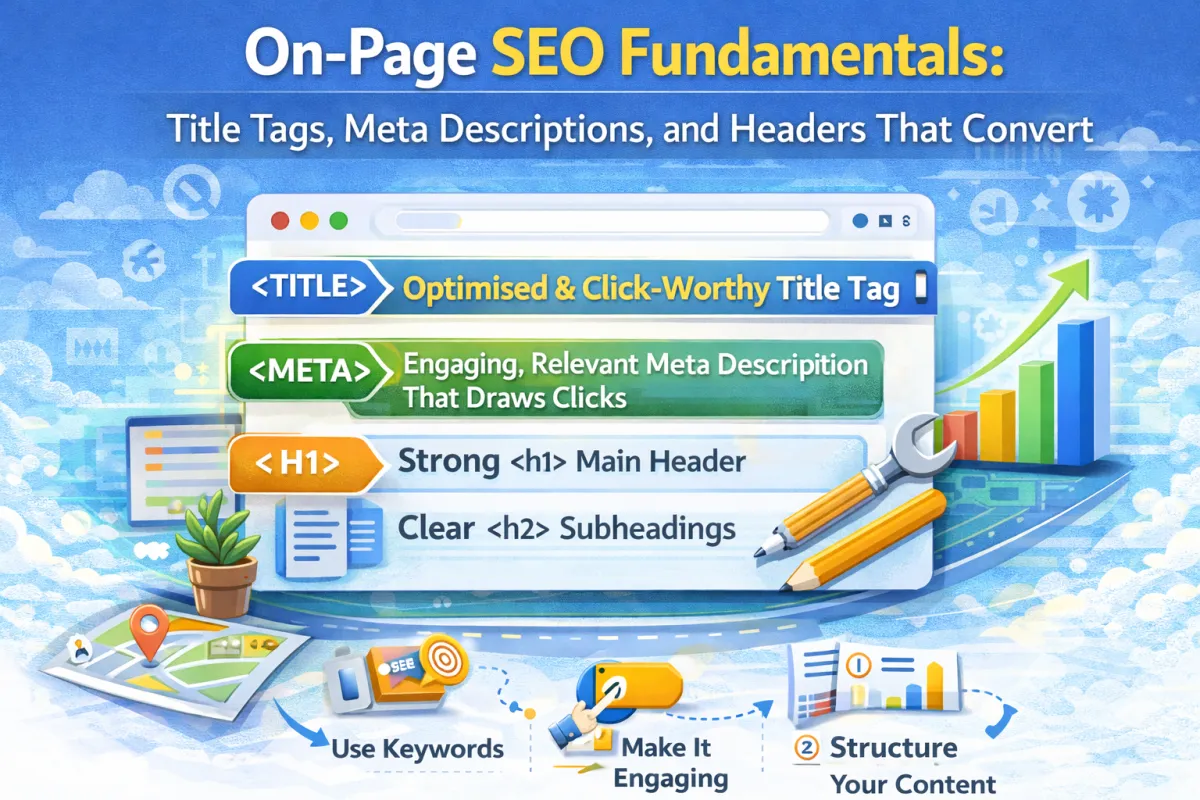
On-Page SEO Fundamentals: Title Tags, Meta Descriptions, and Headers That Convert
This sounds really boring but actually changes rankings:
Your title tag.
That's it. Just the title of your webpage. Not exciting. Not glamorous. But incredibly powerful.
Your title tag is the first thing Google sees when it crawls your page. It's also the first thing a potential customer sees in search results. It tells both Google and humans what your page is about.
And here's the thing: most small businesses get it wrong.
They write titles like "Home" or "Services" or "About Us." These are useless for SEO. Google has no idea what the page is actually about. Customers see a vague title and don't click.
But when you write a good title tag? Everything changes. Google understands your page better. People see a compelling title and click. Your click-through rate improves. Your rankings improve.
Same applies to your meta description (the snippet under your title in search results) and your headers (the H1, H2, H3 tags that structure your content).
These three elements—title tags, meta descriptions, and headers—are the foundation of on-page SEO. Get them right, and you're already ahead of 80% of your competition.
In this post, I'm going to show you exactly how to write title tags, meta descriptions, and headers that both Google and humans love.
What Are Title Tags (And Why They Matter)?
Your title tag is the HTML code that tells search engines and browsers what your page is about.
When someone searches on Google, the blue clickable link in the search results? That's your title tag.
Example search result:
Emergency Plumbing in Manchester | Same-Day Service | Open 24/7
This is your title tag ↑
Why title tags matter:
Google uses them to understand your page – The title is one of the strongest signals about what your page is about. If your title says "Emergency Plumbing in Manchester," Google knows your page is about emergency plumbing services in Manchester. Obvious, but many people miss this.
Users read them to decide whether to click – Your title has about 5 seconds to convince someone to click your result instead of a competitor's. A boring title = no clicks, even if you rank well.
They affect rankings – Google has confirmed that title tags are a ranking factor. Having relevant keywords in your title helps you rank for those keywords.
They appear in browser tabs – When someone bookmarks your page or has multiple tabs open, your title appears in the tab. A clear title is helpful.
How to Write a Title Tag That Works
Here's the formula that actually works:
[Main Keyword] + [Secondary Keyword/Benefit] + [Location (if local)] + [Brand Name]
Let's break this down with real examples:
Example 1: Local Service Business (Dentist)
❌ Bad: "Dentist"
❌ Bad: "Dental Services Manchester"
✅ Good: "Cosmetic Dentistry in Manchester | Expert Teeth Whitening | Jane Smith DDS"
Why it works:
Main keyword: "Cosmetic Dentistry in Manchester"
Benefit: "Expert Teeth Whitening"
Brand: "Jane Smith DDS"
Length: 75 characters (good length)
User benefit: Clear what you offer and where
Example 2: Product/Service Page (Fitness Studio)
❌ Bad: "Classes"
❌ Bad: "Yoga Classes in Bristol"
✅ Good: "Yoga Classes in Bristol | Beginner & Advanced | Free First Class"
Why it works:
Main keyword: "Yoga Classes in Bristol"
Benefit: "Beginner & Advanced" (shows variety)
Offer: "Free First Class" (compelling)
Example 3: Blog Post (How-To Article)
❌ Bad: "How to Clean Gutters"
✅ Good: "How to Clean Gutters: Step-by-Step Guide | DIY Gutter Cleaning"
Why it works:
Main keyword: "How to Clean Gutters"
Format indicator: "Step-by-Step Guide"
Supporting keyword: "DIY Gutter Cleaning"
Title Tag Best Practices
Length: Keep it between 50-60 characters (50-70 max). Why? Google's search results display about 50-60 characters before cutting off. Longer titles get truncated.
Use your main keyword early: Put your most important keyword at the beginning of the title. Google weighs the beginning more heavily.
Make it compelling: You're competing with other results. A good title gets clicks. A boring title doesn't.
Be accurate: Your title should match what's actually on the page. If your title says "Free Consultation" but there's no free consultation, people will bounce.
Include location (for local businesses): If you're local, include your city/area. This helps with local search and sets user expectations.
Use pipes or hyphens to separate: The pipe | symbol breaks up your title visually in search results and makes it more scannable.
Include your brand name: At the end is fine. It builds brand recognition.
Avoid keyword stuffing: "Plumber Plumber Manchester Plumbing Emergency Plumbing" is annoying and doesn't help. Use keywords naturally.
What Are Meta Descriptions (And Why They Matter)?
Your meta description is the text snippet that appears under your title in search results.
Example:
Emergency Plumbing in Manchester | Same-Day Service | Open 24/7
↑ Title tag
Same-day emergency plumbing services in Manchester. Available 24/7. No call-out fees. Fully qualified engineers. Call now: 0161 XXX XXXX
↑ Meta description
Why meta descriptions matter:
They influence click-through rates – A compelling description gets more clicks than a boring one. Even if you rank #3, a great description might get more clicks than the #1 result with a bland description.
Google doesn't use them for rankings – Contrary to old SEO myth, Google has said meta descriptions don't directly affect rankings. But they affect clicks, which indirectly affects rankings.
They're your sales pitch – You have 155-160 characters to convince someone to click your result. Make it count.
They set expectations – A good description tells users exactly what they'll find on your page.
How to Write a Meta Description That Works
Here's the formula:
[What you offer] + [Key benefit] + [Call to action/Contact info]
Example 1: Service Business (Electrician)
❌ Bad: "We provide electrical services"
✅ Good: "Qualified electrician in Leeds. Emergency repairs, rewiring, and installations. Same-day service available. Call 0113 XXXX XXXX"
Why it works:
What: "Qualified electrician in Leeds"
Benefits: "Emergency repairs, rewiring, and installations"
CTA: "Same-day service available. Call 0113 XXXX XXXX"
Length: 157 characters (perfect)
Example 2: Product/Service (Beauty Salon)
❌ Bad: "We do hair and nails"
✅ Good: "Hair & nails salon in Liverpool. Professional styling, treatments, and nail care. Book now for a new look. Free consultation available."
Why it works:
What: "Hair & nails salon in Liverpool"
Benefits: "Professional styling, treatments, and nail care"
CTA: "Book now for a new look. Free consultation available."
Example 3: Blog Post
❌ Bad: "This article explains something"
✅ Good: "Learn how to fix a leaky tap in 10 minutes. Step-by-step guide with photos. Tools you'll need and common mistakes to avoid."
Why it works:
What: "Learn how to fix a leaky tap"
Benefit: "In 10 minutes"
Content promise: "Step-by-step guide with photos"
Value add: "Tools you'll need and common mistakes to avoid"
Meta Description Best Practices
Length: 155-160 characters is ideal. This is what displays in most search results before getting cut off.
Include a call to action: "Call now," "Book online," "Learn more," "Read the full guide," etc.
Match the page content: Don't oversell or promise something the page doesn't deliver.
Use active voice: "Get found on Google" (active) is better than "You can be found on Google" (passive).
Include location (for local): Tell people where you serve.
Make it benefit-focused: What's in it for the user? Why should they click?
Don't keyword stuff: One natural mention of your main keyword is fine. Don't repeat it.
Use numbers and specificity: "Fix your leaky tap in 10 minutes" is better than "Learn how to fix your leaky tap."
What Are Headers (H1, H2, H3) And Why They Matter?
Headers are the large text headings that break up your content.
They serve two purposes:
For users: They make content scannable and easy to navigate
For Google: They tell search engines what different sections of your content are about
Types of headers:
H1: Main heading of the page (usually one per page)
H2: Major section headings
H3: Subsection headings
H4, H5, H6: Further subdivisions (rarely used)
Example of header structure:
How to Grow Vegetables at Home (H1)
├─ Getting Started (H2)
│ ├─ Choosing Your Location (H3)
│ └─ Preparing Your Soil (H3)
├─ Planting Your Seeds (H2)
│ ├─ Best Planting Time (H3)
│ └─ Spacing and Depth (H3)
└─ Caring for Your Plants (H2)
 ├─ Watering Schedule (H3)
 └─ Common Pests and Solutions (H3)
Why headers matter:
Google uses them to understand content structure – By scanning headers, Google understands the main topic and subtopics of your page.
They help with keyword relevance – Including your keywords in headers (especially H1 and H2) tells Google those keywords are important on the page.
They improve readability – People skim content. Headers help them find what they're looking for quickly.
They improve user experience – Clear structure = better engagement = better rankings.
How to Write Headers That Work
H1 Header (Main Title)
Rules:
One H1 per page
Should match or closely relate to your title tag
Include your main keyword naturally
Be descriptive and compelling
Examples:
Blog post:
✅ "How to Clean Your Shower Head Without Harsh Chemicals"
Service page:
✅ "Professional Plumbing Services in Manchester"
Product page:
✅ "Handmade Leather Wallets | Durable & Stylish"
H2 Headers (Major Sections)
Rules:
Use 3-5 H2s per page (balance between structure and readability)
Include supporting keywords and phrases
Each H2 should be a different subtopic
Make them descriptive
Example: For a blog post on "How to Start a Vegetable Garden," your H2s might be:
"Getting Started: What You Need"
"Choosing the Right Location"
"Preparing Your Soil"
"Planting Your Seeds"
"Watering and Maintenance"
Each H2 should logically break down the main topic.
H3 Headers (Subsections)
Rules:
Use under H2s to further break down content
Include long-tail keywords when relevant
Keep them short and specific
Example: Under "Preparing Your Soil," you might have H3s:
"Testing Your Soil pH"
"Adding Compost and Nutrients"
"Removing Weeds and Debris"
How These Three Elements Work Together
Here's how title tags, meta descriptions, and headers work as a system:
Title Tag: Tells Google and users what the page is ABOUT ↓ Meta Description: Convinces them to CLICK ↓ H1 Header: Confirms what they'll READ ↓ H2/H3 Headers: Organize the CONTENT
Real example - All together:
Search Result:
Professional Carpet Cleaning in Bristol | Same-Day Service
↑ Title tag
Professional carpet cleaning in Bristol. Remove stains, odors, and allergens.
Same-day service available. Call 0117 XXXX XXXX or book online free quote.
↑ Meta description
Webpage:
Professional Carpet Cleaning in Bristol: Fast & Reliable Service
↑ H1 (matches/supports title tag)
Why Professional Cleaning Matters
↑ H2 (supports overall topic)
Removes Deep-Seated Stains
↑ H3 (specific benefit)
Eliminates Odors
↑ H3 (specific benefit)
Our Process: 4 Steps to Clean Carpets
↑ H2 (supports overall topic)
Step 1: Assessment
↑ H3 (specific part of process)
Step 2: Pre-treatment
↑ H3 (specific part of process)
This structure works for both Google and users.
Case Study
Let's look at how one business improved their on-page SEO and saw ranking improvements.
The Business: A local garden design company in Kent.
Before:
Homepage title: "Home"
Meta description: "Welcome to our website"
H1 on homepage: "Welcome"
H2s: "About Us," "Services," "Contact Us"
Ranking for "garden design Kent": #18
Monthly enquiries from search: 1-2
What They Did:
Rewrote title tags:
Homepage: "Professional Garden Design in Kent | Bespoke Landscaping Services"
Services page: "Garden Design Services in Kent | Custom Landscape Creation"
Blog post: "How to Design a Small Garden: Ideas for Limited Spaces"
Rewrote meta descriptions:
Homepage: "Transform your outdoor space with professional garden design in Kent. Custom landscaping, eco-friendly solutions. Call for free consultation."
Services: "Bespoke garden design services in Kent. Create your dream outdoor space. Free site assessment. Award-winning designs."
Fixed header structure:
Changed H1 to match page topic
Added logical H2s that support the topic
Added relevant H3s under each H2
Results (3 months later):
Ranking for "garden design Kent" improved from #18 to #5
Monthly enquiries from search: 1-2 → 6-8
Click-through rate from search results: 2.1% → 4.8%
Average ranking position improved across 12 keywords
They didn't add new content or get new backlinks. They just optimized what they already had.
FAQ
Q: Do I need to include my main keyword in the title tag? A: Yes, it helps. Including your main keyword in the title tag signals relevance to Google. But make it natural—don't force it.
Q: How many keywords should I include in my title tag? A: Ideally 2-3 relevant keywords naturally included. Don't stuff. "Plumber Manchester Emergency Plumbing Services Manchester Plumber" is bad. "Emergency Plumbing in Manchester | Same-Day Service" is good.
Q: Does Google use meta descriptions for ranking? A: Not directly. Google has said meta descriptions don't affect rankings. But they affect click-through rates, which indirectly affects rankings.
Q: Can I use the same meta description for multiple pages? A: No. Each page should have a unique description that matches that specific page's content.
Q: Should my H1 match my title tag exactly? A: Not exactly, but they should be closely related. Title tag: "Dentist in Birmingham | Expert Dental Care" and H1: "Expert Dental Care in Birmingham" is fine.
Q: How many H1 tags should I have per page? A: One. There should be one primary H1 per page. Multiple H1s confuse both users and Google about what the main topic is.
Q: Should I include keywords in my headers? A: Yes, naturally. If your page is about "roof repair in Liverpool," it's fine to include that in your H1 and H2 headers. But make them natural and helpful first, not keyword-stuffed.
Q: Can I use headers just for formatting, without semantic meaning? A: Technically yes, but it's not ideal. Use headers for structure and meaning. Use CSS if you just want something to look big.
Q: What's the minimum length for a title tag? A: There's no official minimum, but aim for at least 30 characters. Below that, your title might look incomplete. Above 60, it gets cut off.
Q: Should I put my brand name at the beginning or end of the title tag? A: Usually the end. Put your main keyword/benefit at the beginning where people see it first. Brand name at the end is fine. "Cosmetic Dentistry in Leeds | Dr. Smith Dental" is better than "Dr. Smith Dental | Cosmetic Dentistry in Leeds."
Q: How often should I update my title tags and meta descriptions? A: When you want to improve rankings or clicks for a specific page. You don't need to update them constantly, but it's fine to optimize them after 3-6 months if rankings aren't improving.
Q: Does having numbers in my title help? A: Sometimes. "5 Steps to Fixing a Leaky Tap" gets more clicks than "How to Fix a Leaky Tap." But it only works if relevant.
Q: Can I use special characters in title tags? A: Yes. Pipes |, hyphens -, and commas , work well. They help break up your title visually.
Q: What if my page title and URL are different? A: That's fine. Page title and URL don't need to match exactly. Keep URLs short and simple for user experience.
The Bottom Line
On-page SEO fundamentals—title tags, meta descriptions, and headers—don't sound exciting. But they have a huge impact on your rankings and click-through rates.
Here's what to do:
Title tags: Keyword + benefit + location + brand name. 50-60 characters. Include main keyword.
Meta descriptions: What you offer + key benefit + call to action. 155-160 characters. Make it compelling.
Headers: One H1 per page. Use H2s and H3s to structure content logically. Include keywords naturally.
Get these three right on every page, and you're already ahead of most of your competition.
It's not complicated. It just requires intentionality.
Want help optimizing your on-page SEO?
We'll audit your current title tags, meta descriptions, and header structure. We'll identify what's holding you back and give you a specific roadmap to improve them. Most clients see ranking improvements within 4-6 weeks of optimizing these elements.
No guesswork. Just clear, actionable improvements.
You can also get in touch directly if you'd prefer email or phone.